
Schema Drift Diff
Paste two versions of an event. See what changed and what it means for consumers.
Each change carries a Breaking risk or Usually safe label and a plain-English sentence about consumer impact. Breaking rows come first, and the summary is ready to paste into a pull request.
Compare two events
Runs in your browser. Nothing you paste is sent anywhere.
One event per box, up to 200 KB each. Load example compares two versions of an order.created event.
What changed
No differences in field paths, types or nullability.
Summary
Prefixes: − removed · + added · ~ changed · ⇄ possible rename.
How it works
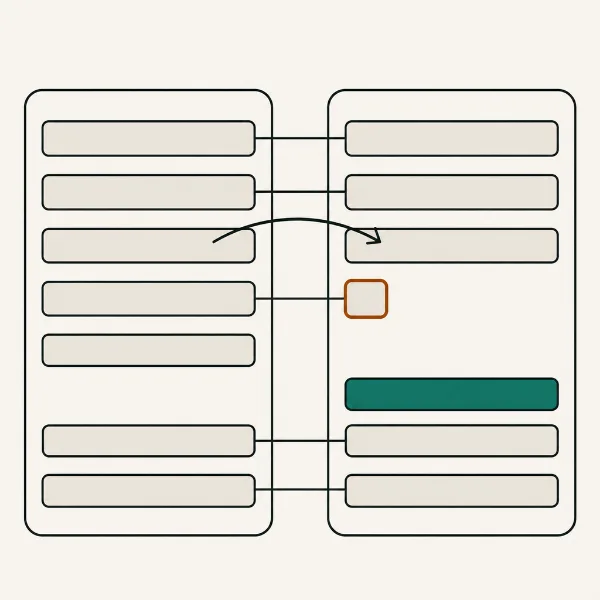
The Diff flattens both events into field paths (such as shipping.method) and records the type of each value: string, number, boolean, object, array or null. Then it compares the two lists.
- A path only in Before is removed. A path only in After is added.
- A path in both with a different type is a type change. A value that turns into null is a nullability change.
- When a removed field and an added field have the same type and similar names (close spelling or shared name parts), the Diff reports a possible rename. It can't know your intent, so it asks you to confirm.
- Array items are compared under one path, such as
items[].sku.
Every change gets a fixed, plain-English sentence and a risk label, so you can paste the summary straight into a pull request or a team channel.
What this tool does not do
- It compares two sample events, not formal schemas. A field missing from one sample may simply be optional.
- It judges types from the values it sees. A field that is null in both samples has no known type.
- "Possible rename" is a name-similarity check, not proof.
- It doesn't know which consumers read which fields. The risk labels describe the usual impact.
Questions
Do I need a JSON Schema?
No. Paste two real or sample events. The tool works out the paths and types from the values.
Why is a type change a breaking risk?
A consumer written for a number can fail or skip records when the same field arrives as a string, even if the value looks the same.
Why is an added field usually safe?
Most consumers ignore fields they don't read. It can still matter if a consumer validates strictly or stores every field.
How do I detect schema changes in event streams?
Compare a sample of the current event with the new version before you ship, and check the removed, retyped and renamed fields with the teams that consume them. This tool does that comparison for two samples.
Guard the field that changed
Write a check that alerts when the field goes missing or arrives with the wrong value. Each breaking row links to the Rule Builder with the field filled in.